

The Telegram app has grown from a simple messenger into one of the most versatile communication platforms available today, used by hundreds of millions of people worldwide. This guide covers what the app does well, its standout features, how it compares to alternatives like WhatsApp and Signal, and what to know before you download it.
Table of Contents
“CLICK ON THE LOGO TO DOWNLOAD TELEGRAM NEW VERSION“
What Is the Telegram App?
At its core, Telegram is a cloud-based messaging service built around speed, flexibility, and scale. Unlike many messengers, it stores your chat history in the cloud rather than only on your device, so switching phones or logging in on a new computer never means losing your conversations.
It’s available on Android, iOS, Windows, macOS, Linux, and the web, with everything staying in sync no matter which device you’re using.
Key Features
A few things set the Telegram app apart from typical chat apps:
- Large file support — send media, documents, and archives up to 2GB per file
- Cross-platform sync — start a conversation on your phone and finish it on your laptop
- Custom themes and stickers — a more expressive alternative to plain text chat
- Chat folders—organize conversations by category once your chat list grows large
- Fast delivery — built on a distributed server network designed to minimize lag
Privacy & Security Options
Standard conversations are encrypted between your device and Telegram’s servers. For users who want more, Secret Chats add full end-to-end encryption along with self-destructing messages, screenshot notifications, and no cloud backup — meaning the conversation exists only on the two devices involved.
This tiered approach means casual users get convenience by default, while privacy-focused users can opt into a stricter mode without switching apps entirely.
Groups, Channels & Bots
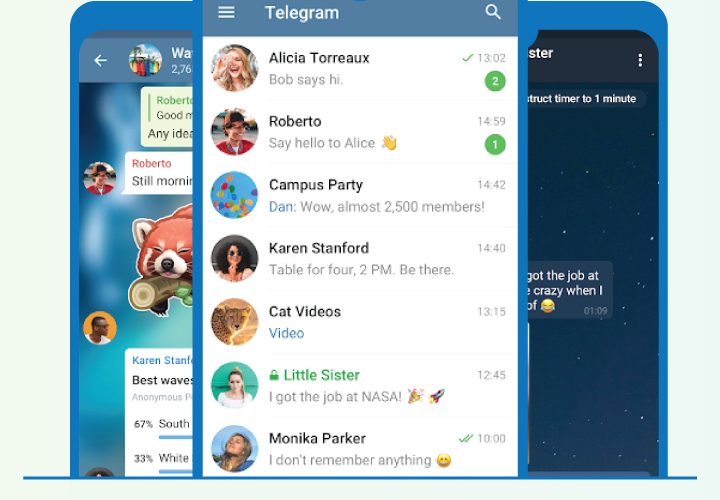
This is where things separate from most competitors:
- Groups scale up to 200,000 members, well beyond what most messaging platforms allow
- Channels support unlimited subscribers, making them useful for broadcasting to large audiences
- Bots, built on an open API, can automate tasks, deliver information, run mini-games, or process payments directly inside a chat
For communities, creators, and businesses, this turns a simple messenger into a broader platform for engagement.
Telegram vs. WhatsApp vs. Signal
| Feature | Telegram | Signal | |
|---|---|---|---|
| Multi-device sync | Full sync, unlimited devices | Linked-device model | Linked-device model |
| Max group size | 200,000 members | 1,024 members | 1,000 members |
| File size limit | 2GB per file | 2GB per file | 100MB per file |
| Default encryption | Server-side (E2EE optional) | End-to-end by default | End-to-end by default |
| Bots & mini apps | Extensive ecosystem | Limited | None |
Signal leans hardest into privacy-by-default, WhatsApp leans into mainstream simplicity, and this platform leans into flexibility and scale—with strong privacy available for anyone who wants to opt in.
Benefits of Using the Telegram App in 2025
- Reliability—cloud sync means your data isn’t tied to a single device
- Flexibility — works equally well for one-on-one chats and massive public communities
- Customization — themes, stickers, and bots let you shape the experience
- Active development—frequent updates mean bugs get fixed and performance keeps improving
- No storage limits on your phone — since media lives in the cloud, not local storage
How to Download Safely
The safest way to download is a safe platform download it from here for andriod:
Telegram App 2026
Avoid third-party sites offering “modified” versions that claim to unlock premium features for free. These aren’t reviewed by the developer, often request excessive permissions, and can put your data at risk—plus, they violate the platform’s terms of service. If you want premium features, use this link.
FAQs
Is the Telegram app free to use? Yes. Core features are free; an optional Premium subscription adds extras like higher upload limits and exclusive stickers.
Is it safe to use for private conversations? Standard chats use server-side encryption, and secret chats add full end-to-end encryption for anyone who wants an extra layer of privacy.
What platforms does it support? Android, iOS, Windows, macOS, Linux, and a web version — all synced in real time.
How is it different from WhatsApp? The biggest differences are group size limits, multi-device sync, and a much larger bot and mini-app ecosystem.
Conclusion
Few messaging platforms offer the same mix of scale, flexibility, and optional privacy. Whether you’re chatting one-on-one, running a community of thousands, or building tools with bots, it’s built to handle all three without switching apps. If you haven’t tried the Telegram app yet, downloading it directly from an official source is the safest way to get started.
Tags
Telegram App, Messaging Apps, Android Apps, iOS Apps, App Guide 2025, Secure Messaging, Group Chat Apps
Hashtags
#TelegramApp #MessagingApps #SecureMessaging #TechGuide2025 #AndroidApps #GroupChat #AppReview