
Artificial intelligence is moving beyond simple chatbots. Instead of only answering questions, newer AI systems are beginning to take action, manage tasks, organize information, and work across the apps people already use.
One of the most interesting examples is Muse AI, Meta’s personal AI agent. Muse is designed to help users get things done rather than simply provide an answer. It can browse the web, work with connected applications, create documents and images, manage tasks, and continue working on certain activities in the background.
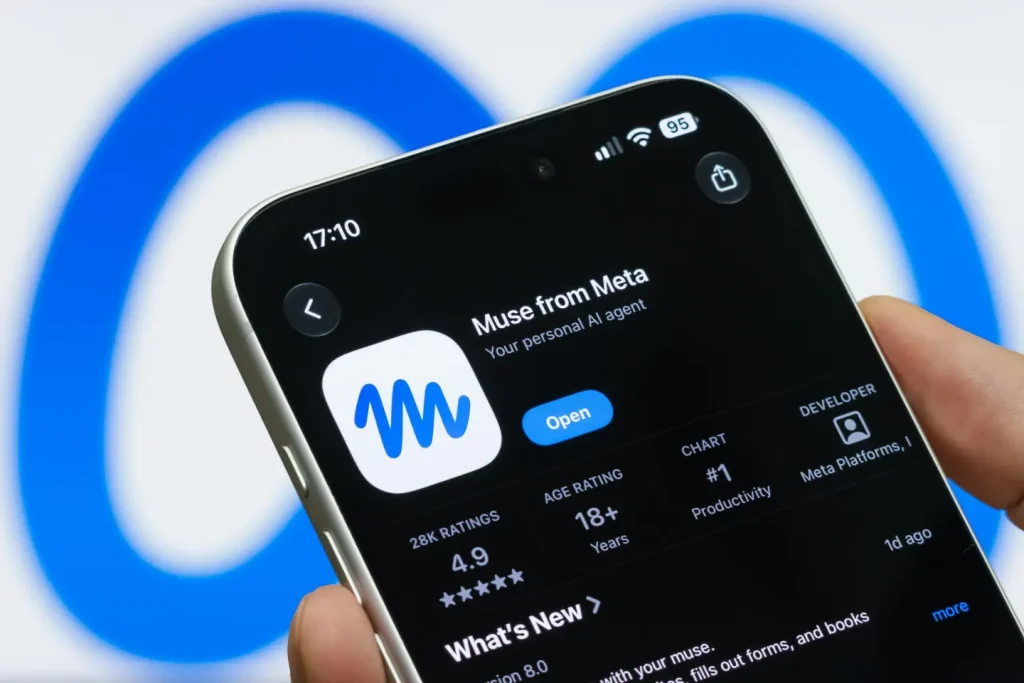
This shift could change how people interact with smartphones, computers, websites, and everyday digital services.
But what does Muse actually mean for your daily tech life?
Table of Contents
What Is Muse AI?

Muse is a personal AI agent developed by Meta. Unlike a traditional chatbot where you ask a question and receive a response, Muse is designed to take a goal and work through the steps needed to accomplish it.
Meta describes Muse as an agent that can use its own secure virtual computer and browser to navigate websites, fill out forms, book appointments, handle customer-service tasks, and work with connected apps.
This makes the experience feel more like having a digital assistant than simply using an AI search box.
For example, instead of asking:
“How can I organize my schedule?”
you could potentially give Muse a broader task such as organizing your calendar, identifying conflicts, and helping you decide what needs attention.
That difference is important because AI is moving from answering to doing.
How Muse AI Is Changing Everyday Technology
The biggest change Muse brings is the possibility of reducing the amount of manual work people perform on their devices.
We already use dozens of apps every day. Email, calendars, cloud storage, shopping websites, social media, banking apps, productivity tools, and messaging platforms all require users to repeatedly switch between interfaces.
An AI agent can potentially become a layer between you and those applications.
Instead of opening five different apps, finding information, copying it somewhere else, and completing several steps manually, you can describe the outcome you want.
Muse then works through the task using the tools and permissions you provide.
1. Less Time Spent on Repetitive Tasks
One of the clearest advantages of an AI agent is handling repetitive digital work.
Muse’s productivity features include working with email, calendars, files, and customer-service tasks. Meta says Muse can filter inbox information, draft and organize messages, coordinate calendars, and organize cloud files.
Imagine starting your morning and telling your AI assistant:
- Organize today’s schedule.
- Identify important emails.
- Find calendar conflicts.
- Prepare a list of unfinished tasks.
- Organize documents from yesterday.
Instead of manually performing each action, the AI can handle much of the preparation.
That can make your phone and computer feel less like tools you operate and more like systems that work alongside you.
2. AI Becomes More Personal
Traditional search engines provide information, but they generally do not understand your complete working context.
Muse is designed around persistent context and personalization. Meta says it can get to know your goals and work across different aspects of your life.
This could be especially useful for people who repeatedly work on the same projects.
For example, a blogger could use an AI agent to help organize research, prepare content ideas, manage documents, and keep track of ongoing tasks.
For someone who runs a website like RedAPK, this type of AI could potentially assist with content planning, research organization, productivity, and repetitive digital workflows.
3. Smartphones Could Become More Conversational
For years, using a smartphone meant opening an app and navigating menus.
AI agents are changing that model.
Instead of thinking:
“Which app do I need?”
users may increasingly think:
“What do I want done?”
That is a major change in how technology works.
You could describe the result you want and allow the AI to determine which connected services or tools are needed.
Meta says Muse can connect with apps such as email, calendars and Instagram, while also using its browser to interact with websites.
This could eventually make individual apps less important from the user’s perspective.
4. AI Can Help With Online Research
Research is another area where AI agents can save time.
Instead of manually opening multiple websites, comparing information, copying important details, and organizing notes, an agent can potentially perform multiple research steps as one larger task.
For example, you could ask an AI agent to research a technology topic and organize the findings into a document.
This fits naturally with the broader AI trend discussed in our RedAPK article on whether AI will replace jobs in 2026.
The important point is that AI does not necessarily need to replace the person doing the work. It can change how the work gets done.
5. Content Creation Becomes Faster
Content creators are also likely to benefit from AI agents.
Muse can generate documents and images and work with connected applications, according to Meta.
That means a creator could potentially use AI for several stages of a project:
- Researching a topic
- Organizing ideas
- Creating an outline
- Drafting content
- Preparing supporting material
- Creating visual concepts
- Organizing files
- Reviewing the final result
The human still decides what should be published, but AI can reduce the amount of repetitive work between the idea and the finished product.
6. AI Could Change Online Shopping
Another interesting area is online shopping.
Muse is designed to browse the web and can perform actions such as shopping-related tasks, although users remain in control of important actions and permissions.
This could change shopping from:
Search → Compare → Open website → Add to cart → Checkout
to:
Tell AI what you need → AI researches options → You review the recommendation → Approve the action
That could make online shopping much faster.
However, users should still review prices, sellers, product specifications, and final orders rather than blindly allowing an AI to make every decision.
7. Productivity Apps May Work Differently
Muse also points toward a future where AI sits above individual productivity applications.
Instead of learning every feature of a calendar, email client, cloud-storage platform, and project-management tool, users could simply explain what they want.
Meta’s productivity tools show this direction clearly: Muse can work with email, calendars, files, and browser-based customer-service tasks.
This could be especially useful for people who are not technical users.
You do not necessarily need to understand how every application works if your AI assistant can help coordinate the process.
Muse AI and the Future of Android
Android users are already surrounded by AI-powered applications.
From AI assistants and productivity apps to finance, communication, and entertainment applications, smartphones are becoming increasingly intelligent.
You can also explore other technology and app-related guides on RedAPK, including our coverage of AI developments and Android applications.
The next step is not simply adding AI to another app.
It is making AI capable of working across multiple apps.
That is where agents such as Muse become particularly interesting.
Is Muse AI Completely Reliable?
No AI system should be treated as perfect.
Muse itself acknowledges that AI can sometimes be inaccurate or take unexpected actions, and users are encouraged to monitor its activity and intervene when necessary.
There are also broader concerns around privacy, permissions, website restrictions, and the amount of control users give an AI agent.
Because an agent may interact with email, calendars, files, websites, or other connected services, users should carefully review permissions before connecting sensitive accounts.
Convenience is valuable, but control should remain with the user.
Muse AI vs Traditional Chatbots

The difference can be simplified like this:
| Traditional AI Chatbot | Muse AI / AI Agent |
|---|---|
| Answers questions | Works toward completing tasks |
| Mainly responds to prompts | Can perform multi-step actions |
| User handles most actions | AI can handle parts of the workflow |
| Usually conversation-focused | Designed around goals and tasks |
| Limited interaction with external tools | Can connect with apps and services |
| Stops after providing an answer | Can continue working on certain tasks |
This does not mean traditional chatbots are disappearing.
Instead, AI is expanding from conversation into action.
What Muse AI Means for Your Tech Life
The biggest change may not be one particular feature.
It is the change in expectation.
People have traditionally learned how to use computers.
With AI agents, computers are increasingly learning how to help people use technology.
Instead of remembering where everything is located, users can increasingly explain what they want and let AI handle the complicated middle steps.
That could make technology more accessible, especially for people who find complicated software difficult to learn.
Final Thoughts
Muse AI represents an important step toward a more agent-based future of technology.
Its ability to work across websites, connected applications, documents, calendars, email, and other digital tools shows how AI is evolving beyond simple question-and-answer interactions.
For everyday users, the biggest benefit could be saving time. Repetitive tasks, research, organization, scheduling, and content workflows can potentially become easier when AI handles some of the work in the background.
At the same time, users should remain involved. AI agents can make mistakes, and giving an AI access to personal accounts requires careful consideration of privacy and permissions.
The future of technology may therefore not be about having more apps. It may be about having an intelligent assistant that helps you use the apps you already have.
And that is why Muse AI could be one of the more interesting developments in the way we interact with technology.