
The digital landscape of 2026 has officially moved past the “flat design” era that dominated the last decade. We have entered the age of Liquid Glass—a design philosophy that combines optical physics with fluid digital motion. For a professional designer like Salman Khan, staying at the forefront of these UX/UI shifts is non-negotiable.
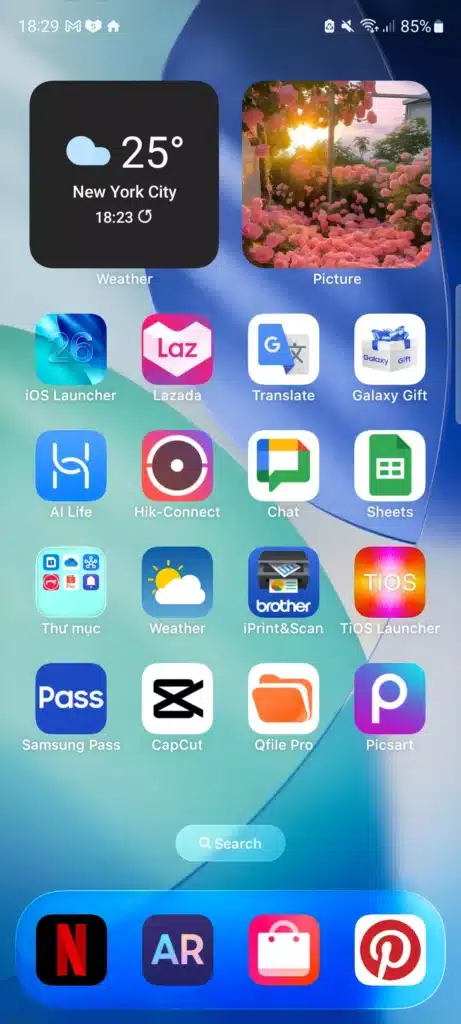
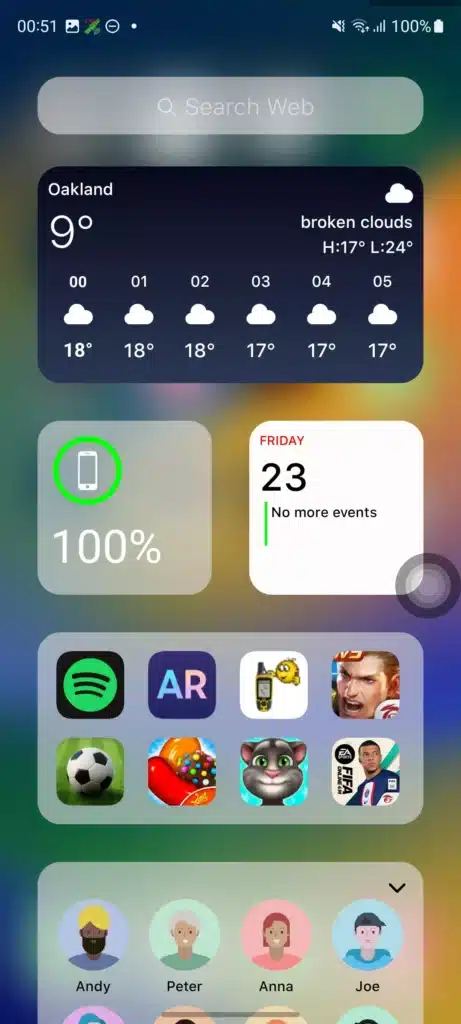
Launcher iOS 26 Liquid Glass Version 8.8.1 is the latest stable release from LuuTinh Developer. It isn’t just a “skin”; it is a sophisticated rendering layer that replicates the depth-based, semi-translucent interface of the newest iOS systems on Android hardware.
Table of Contents
1. What is the “Liquid Glass” Aesthetic?
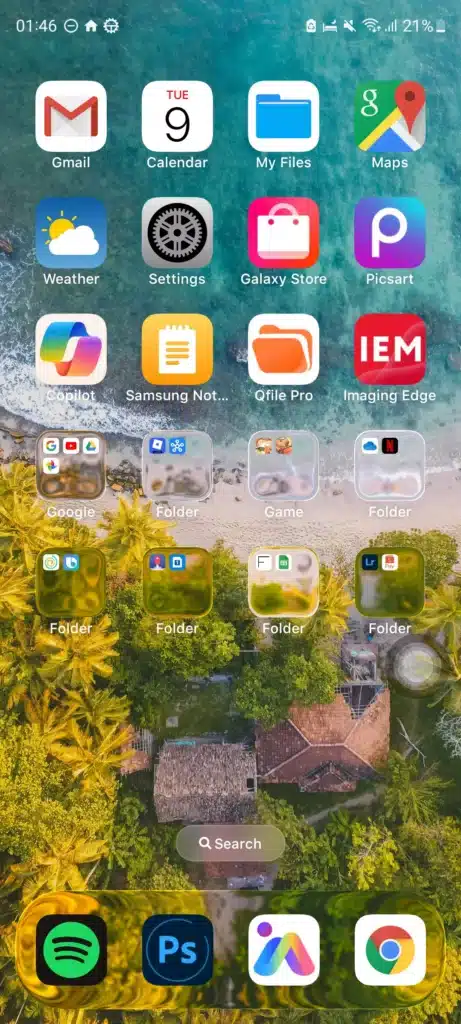
Liquid Glass is Apple’s first truly dynamic UI material, now being meticulously emulated by top-tier Android launchers. Unlike traditional “glassmorphism” which used static blurs, Liquid Glass behaves like a physical lens. It reflects and refracts the wallpaper underneath it in real-time, responding to your touch and device movement.
The Core Pillars of Liquid Glass in v8.8.1:
- Lensing: The UI elements (like the search bar and icons) bend the light of the background, making them feel like they are floating in a liquid medium.
- Environmental Adaptation: The transparency and blur density adjust automatically based on your ambient lighting and wallpaper complexity.
- Tactile Minimalism: Buttons and toggles in the Control Center react with “springy” animations, following your finger through every gesture.
2. New Features in Version 8.8.1
The 8.8.1 update is a critical “polishing” release that fixes several bugs found in the 8.8.0 branch while expanding the Liquid Glass implementation.
Key Enhancements:
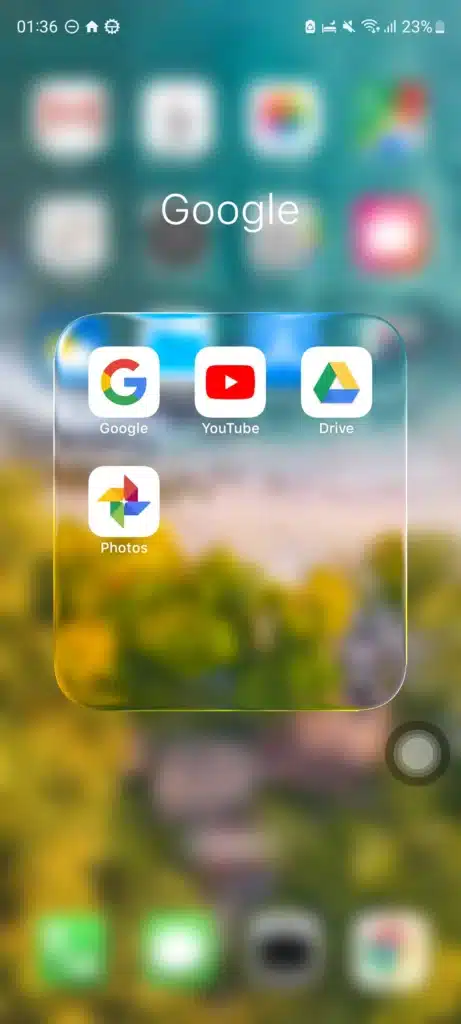
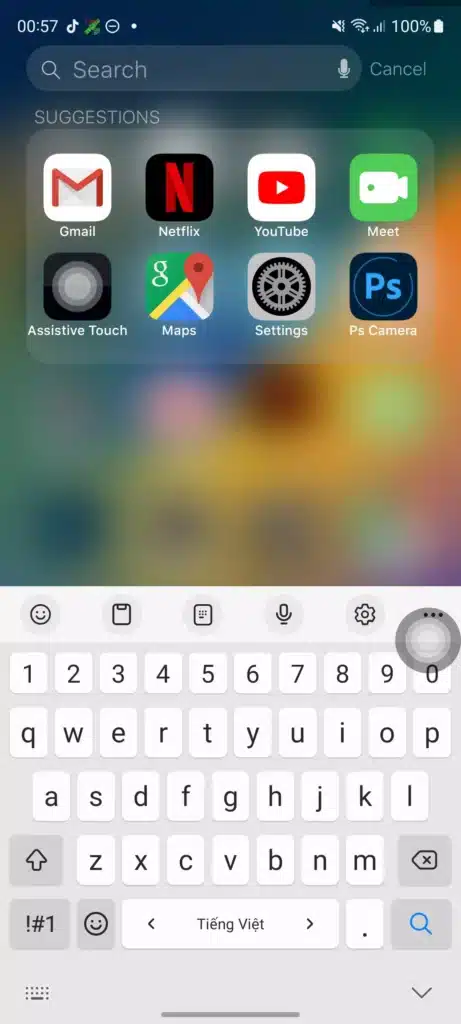
- Liquid Glass Search Bar: The global search bar now features the full refraction effect, blending seamlessly with dynamic wallpapers.
- Control Center Refinement: Swipe-down actions now trigger a redesigned hub with glass-textured toggles that mirror the iPhone 17 design.
- Animation Stabilization: Fixes the common issue where “Liquid Glass” icons would lose their transparency when system-wide wallpaper animations were enabled.
Technical Reference Links:
- Official Launcher iOS 26 – Google Play Store
- Launcher iOS 26 Version 8.8.1 on RedAPK
- Exploring Apple’s Liquid Glass Design Philosophy
- Android 14+ Personalization Trends
- User Feedback on v8.8.1 Stability
3. Why Professionals Use APK Archives (RedAPK.net)
In a professional workflow involving 300+ projects, reliability is king. Sometimes, the latest “forced” update on the Play Store might introduce unwanted ads or remove a specific customization feature. This is why professionals often turn to trusted archives like www.redapk.net.
By accessing RedAPK, you can find specific builds like Version 8.8.1 and archive them. This ensures that even if a future update (like 8.9.0) changes the glass physics in a way you dislike, you can roll back to a version that perfectly fits your design aesthetic.
Archive and Safety Resources: 6. Launcher iOS 26 APK Archive via RedAPK 7. Official Developer Support: LuuTinh IT Plus 8. Verify APK Signatures – VirusTotal 9. Direct Link to RedAPK Homepage 10. Version 8.8.1 Mirror on Uptodown
4. Design Workflow: Optimizing the Glass Look
As an expert in UI/UX and motion graphics, I recommend a specific setup to make this launcher truly shine:
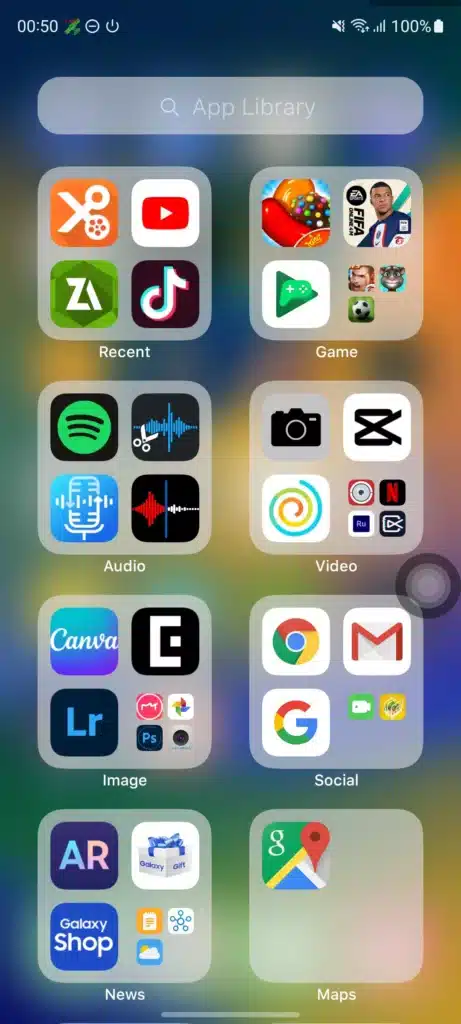
- Wallpaper Selection: Use high-vibrancy, multi-colored wallpapers. Liquid Glass needs color to refract; a plain black or white background kills the effect.
- Icon Tinting: In version 8.8.1, you can now tint your icons to match your theme’s accent color while maintaining the “Glassy” sheen.
- Haptic Feedback: Pair the launcher with refined haptic settings to match the “springy” Liquid Glass animations.
5. Community and Future Outlook
The shift toward Liquid Glass is the biggest visual change since iOS 7. Developers are now racing to adapt their custom components to this layered, translucent structure.
Community and Future Links: 11. Liquid Glass UI Kit for Designers 12. iOS 26 Liquid Glass Developer Guide 13. Comparison of Premium Android Launchers 14. UX Planet: Beyond Liquid Glass 15. How to Safely Install Third-Party APKs
Conclusion
Launcher iOS 26 Liquid Glass Version 8.8.1 is a masterpiece of mobile customization. By combining the stability of the 8.8 branch with the futuristic “Liquid Glass” design, it allows Android users to live on the cutting edge of UI/UX. Whether you are downloading from official channels or utilizing a trusted archive like redapk.net, this tool is an essential addition to any designer’s phone.