
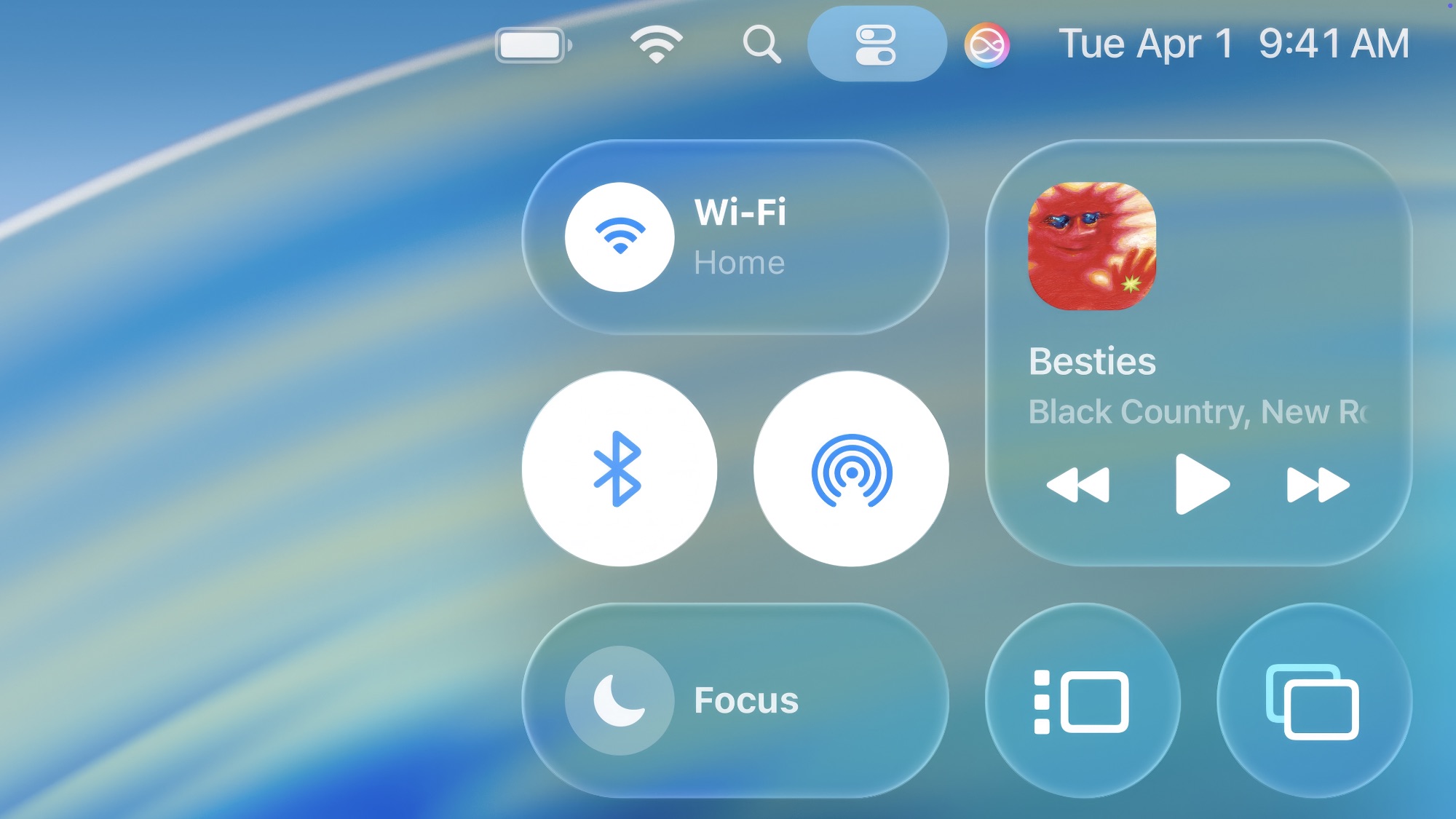
When Apple unveiled its “Liquid Glass” design language at WWDC in 2025, it didn’t take long for Android’s customization community to start recreating the look. A Liquid Glass launcher for Android lets you apply that same translucent, light-refracting aesthetic — icons and menus that behave like actual glass, reflecting and distorting the wallpaper behind them — without needing an iPhone at all. Several of these launchers have climbed the Play Store charts throughout 2026, and one in particular, “Launcher iOS 26,” has become one of the most talked-about options in the category.
This guide breaks down what a Liquid Glass launcher for Android actually does, what real users and reviewers say about the experience, and how to install one without putting your phone at risk.
Table of Contents
What Is Liquid Glass Design, Really?
Before evaluating any specific app, it helps to understand where the trend comes from. Liquid Glass is a design language Apple introduced in 2025 as a unified visual theme across iOS, iPadOS, macOS, and its other operating systems. Instead of flat icons and solid menu bars, elements behave like layered glass — translucent, reflective, and responsive to what’s behind them.

- The effect relies on color and contrast from the wallpaper or content underneath to create its “lens” look
- It replaced Apple’s flatter, minimalist design approach that had been in place since iOS 7
- Apple has continued refining the look through multiple iOS 26 updates, based on user feedback
- A Liquid Glass launcher for Android is essentially a third-party recreation of this same visual system, built for Android’s more customizable home screen environment
Because Android allows full launcher replacement — something iOS doesn’t support — it’s become the natural platform for developers to recreate Apple’s look for people who want the aesthetic without switching phones.
What a Liquid Glass Launcher for Android Actually Offers
The most prominent app in this space, “Launcher iOS 26” by LuuTinh Developer, illustrates what most Liquid Glass launcher for Android apps aim to deliver. Its recent updates have focused on a few core areas:
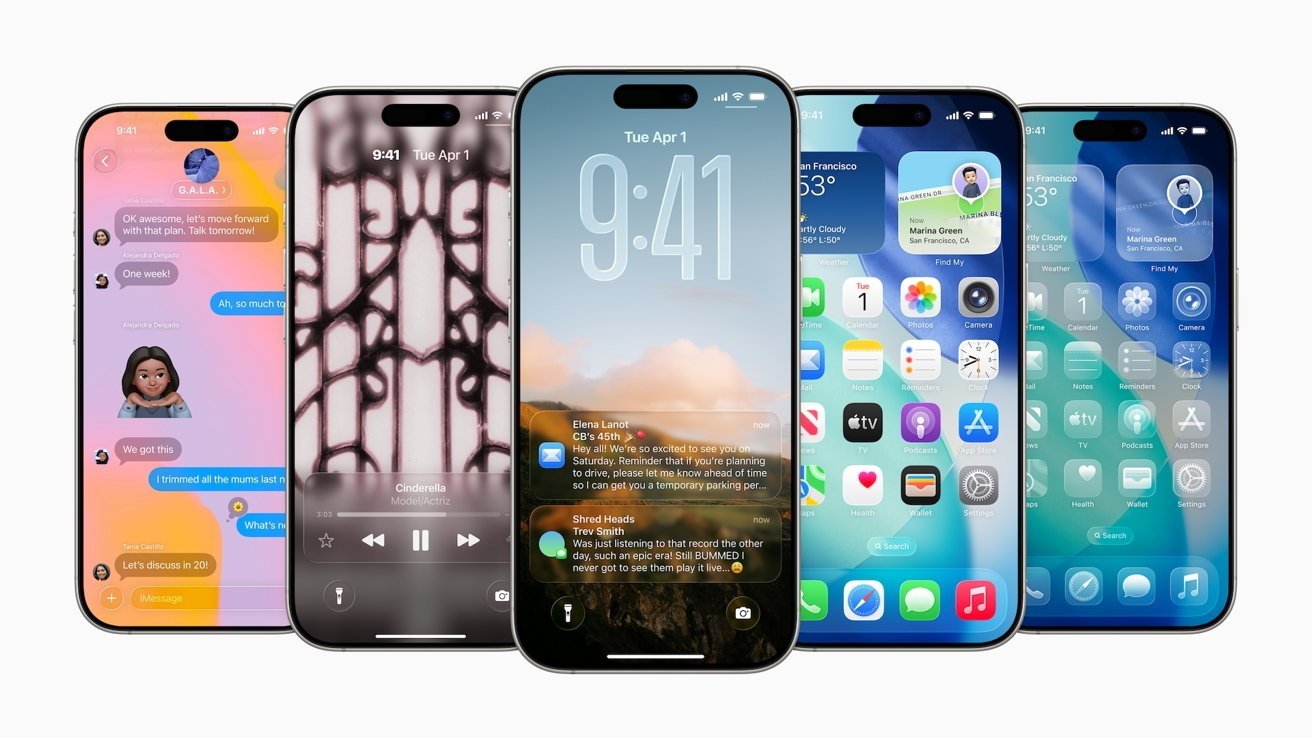
- A glass-textured search bar that shifts and reflects based on the colors of the current wallpaper
- A Control Center-style panel, accessed with a swipe, styled to resemble the latest iPhone software
- App icon and folder styling designed to mimic the rounded, translucent look of iOS home screens
- Ongoing bug fixes, since early versions of the glass effect reportedly had rendering glitches with certain animated wallpapers
You can see the app’s listing directly from
, which is the safest and most reliable place to check current features, permissions, and user ratings before installing.
Does the Glass Effect Actually Work Well? A Balanced Look
It’s worth noting that Apple’s own Liquid Glass design hasn’t been universally praised, and a Liquid Glass launcher for Android inherits some of the same tradeoffs by design.
- Usability researchers at Nielsen Norman Group have pointed out that heavy transparency can make text and icons harder to read against busy or high-contrast backgrounds
- A one-year retrospective from AppleInsider noted that while some interactions feel more intuitive, Apple has had to make small refinements with nearly every update to address complaints
- On Android, a Liquid Glass launcher typically works best with vibrant, high-saturation wallpapers, since the refraction effect is much harder to notice against plain or dark backgrounds
- Battery and performance impact can be slightly higher than a standard launcher, since real-time color blending requires more active rendering
None of this means the trend isn’t worth trying — it simply means a Liquid Glass launcher for Android is a stylistic choice with real visual tradeoffs, not a strict upgrade over a flatter interface.
How to Install a Liquid Glass Launcher for Android Safely
This is the part most reviews skip, and it matters more than the visual effects themselves. Because Android allows installing apps outside the Play Store, a Liquid Glass launcher for Android is often promoted on third-party “APK archive” sites that offer older or alternate versions of popular apps.
- Stick to the official Google Play Store whenever possible. It’s the version most likely to be scanned for malware and kept current with security patches
- Be cautious of sites offering “archived” or “specific tested” APK builds. These are frequently used to bypass Play Protect’s automatic safety scanning, and some bundle unwanted ad software or trackers
- If you do need to sideload an APK for a legitimate reason, follow a reputable safety guide like Android Authority’s installation walkthrough, and scan the file with a tool like VirusTotal first
- Check app permissions carefully. A launcher only needs access to your home screen and apps — be wary of any version requesting unrelated permissions like SMS or contacts access
- Read recent reviews, not just the overall rating. A sudden spike in complaints about ads, crashes, or unexpected redirects is often an early warning sign
Treating a Liquid Glass launcher for Android the same way you’d treat any other app permission request — carefully, and from an official source — avoids the vast majority of problems associated with this category.
Liquid Glass UI: Reviewing Launcher iOS 26 Version 8.8.1
Other Liquid Glass Launcher Options Worth Comparing
“Launcher iOS 26” isn’t the only Liquid Glass launcher for Android worth considering. A couple of alternatives show up often in comparisons:
- Liquid Glass – IOS 26 Launcher by The Minimalist, also available on the Google Play Store, with a similar focus on translucent, iOS-style visuals
- Liquid Launcher – OS 26 by GriceMobile, reviewed on Softonic, which praises the distinctive glass styling while noting some reliability gaps reported by users
- A broader roundup of well-reviewed options is available through Android Authority’s launcher guide, useful if the glass aesthetic isn’t your only priority
Comparing a few options before committing is worth the extra few minutes, since switching a default launcher later usually means resetting your home screen layout from scratch.
Common Mistakes to Avoid
A few recurring issues come up across reviews of Liquid Glass launcher for Android apps:
- Expecting the effect to show up on any wallpaper. The glass look is far less noticeable on plain, muted, or dark backgrounds
- Ignoring ad-related complaints in reviews. Several free launchers in this category rely on ads to stay free, and some users report these becoming intrusive over time
- Installing from unfamiliar sites to “unlock” extra features. This is one of the most common ways users end up with a modified or unsafe APK
- Not checking battery impact after installation. If you notice a sudden battery drain, the always-on rendering effects are a likely cause
Final Thoughts
A Liquid Glass launcher for Android is a genuinely fun way to bring Apple’s newest design language to a phone that will never run iOS — and the visual appeal is real, especially with the right wallpaper. Where these apps fall short is usually the same place Apple’s own version has drawn criticism: heavy transparency can trade away a bit of legibility for style. As with any launcher or customization app, the safest path to a good experience is the same one that matters more than the glass effect itself — install from the official Play Store, check permissions, and skip anything promising a “special” version from a third-party archive site.